

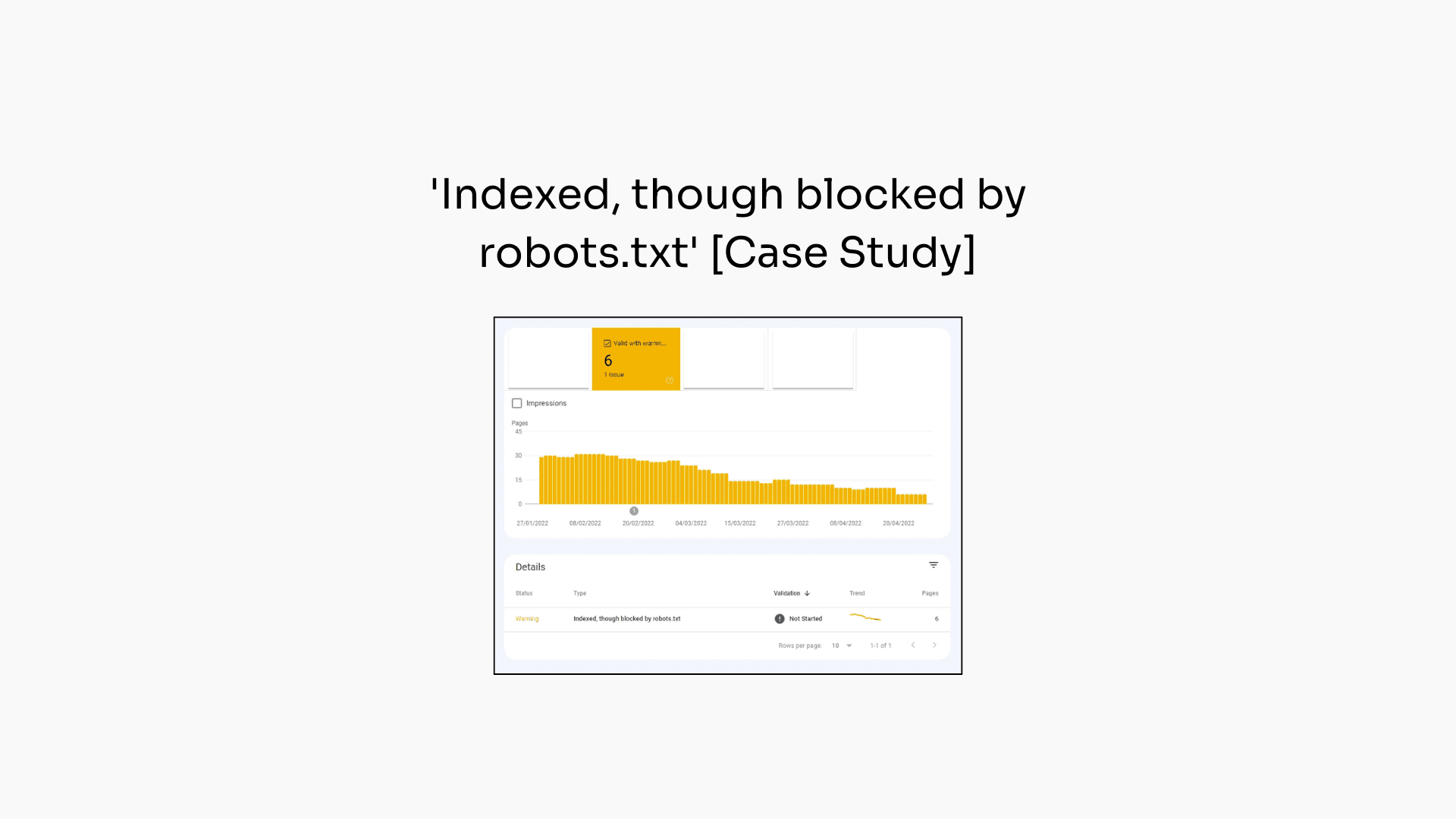
A case study to show how to fix 'Indexed, though blocked by robots.txt' warnings in Google Search Console. The root cause is inbound links pointing to robots.txt-blocked pages, and it can be fixed by removing internal links. But it is not a quick fix, expect it to take months to fully resolve.
I've been staring at the "Indexed, though blocked by robots.txt" report in Google Search Console for years.
Most SEOs assume it's a minor crawling issue. Something to tick off the list and move on.
But after digging into it on a client website, I discovered something interesting: the fix isn't technical. It's about links.
In this newsletter, I'll walk through a real case study of how I resolved a "Indexed, though blocked by robots.txt" problem and what it revealed about a 13-year-old Google policy that's still in effect today.
So, let's dive in.
Note: The screenshots in this case study are the before Google made a change to remove ‘Valid with warnings’ from the main graph of the Page Indexing report.
A development team released a new platform and created a sitewide parameter URL: /schedule-call?ref=.
The URL appeared as a crawlable link on every page of the website.
The fix seemed simple: block the parameter in the robots.txt file and move on. No big deal.
But Google had other ideas.
A few weeks later, the "Indexed, though blocked by robots.txt" report in GSC started to grow. By the time I noticed, it had reached 500 URLs, all flagged because of the new /schedule-call?ref= parameter URLs.
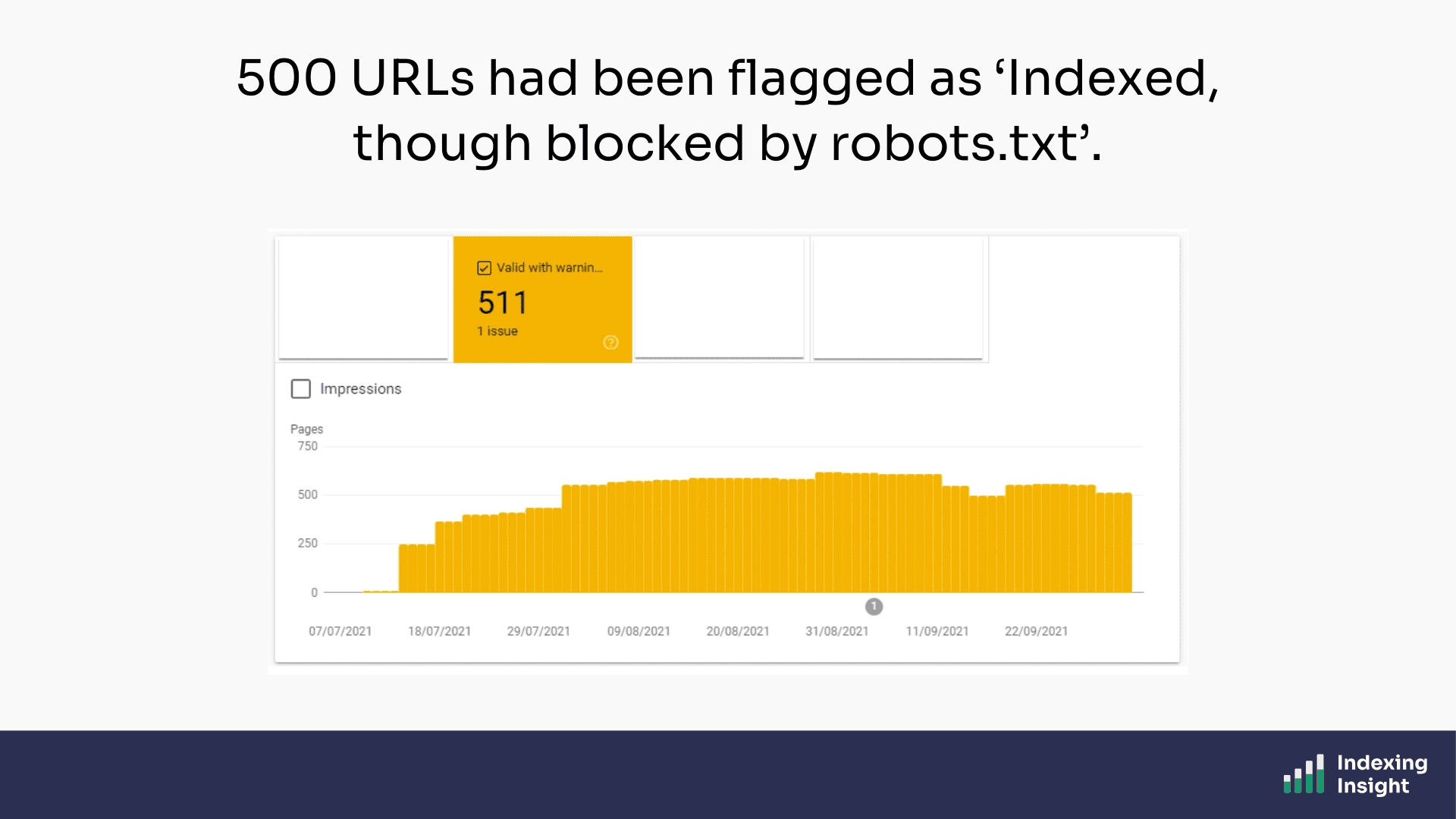
So, what is ‘Indexed, though blocked by robots.txt’?
"Indexed, though blocked by robots.txt" is an index coverage state in the Google Search Console Page Indexing report.
Google's own documentation also states:
“Indexed, though blocked by robots.txt: The page was indexed, despite being blocked by your website’s robots.txt file. Google always respects robots.txt, but this doesn’t necessarily prevent indexing if someone else links to your page. Google won’t request and crawl the page, but we can still index it, using the information from the page that links to your blocked page.” - Index Coverage report Documentation
The key information in the description is:
Google places these sorts of index coverage states in the ‘warning’ bucket.
Although the page is ‘indexed’ it is important to remember that the content on the page has not been requested by Googlebot. This means that although the page URL can still appear in search results, there is not ‘content’ stored in Google’s database.
That last part surprises most SEOs.
How can Google index a page it's not supposed to crawl?
Here's where things get interesting.
The answer is rooted in a Google policy from 2009. Yes, 2009.
In a video from that year, Matt Cutts explained that Google can display blocked URLs in search results if enough external pages link to them.
The logic is straightforward: even if Google can't crawl the page, it knows from anchor text and inbound links that the page is likely relevant to users.
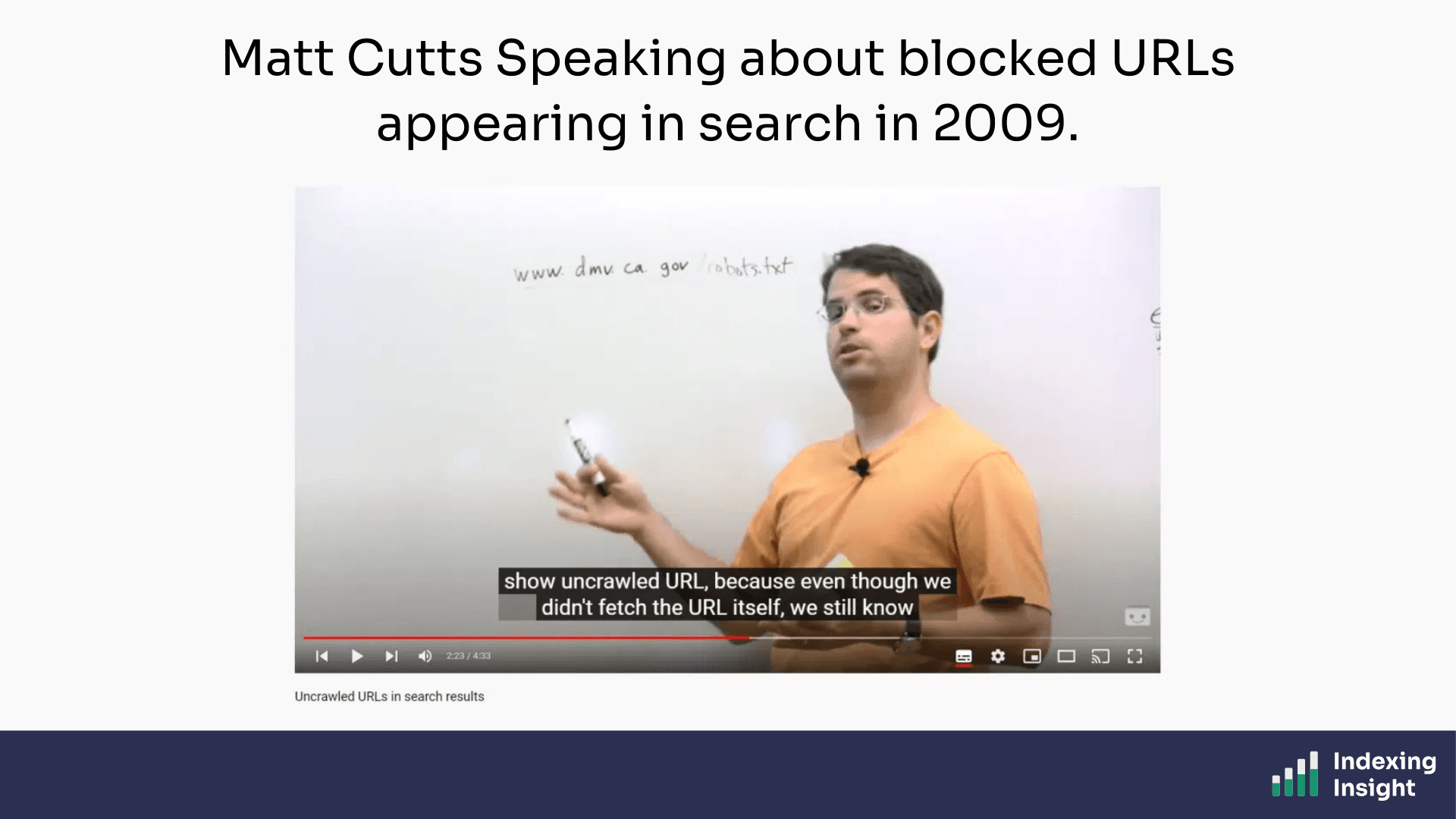
“So even though they were using robots.txt to say, “You’re not allowed to crawl this page,” we still saw a lot of people linking into this page and they have the anchor text California DMV. So if someone comes to Google and they–they do the query, California DMV, it make sense that this is probably relevant to them. And we can return it even though we haven’t crawled the page. So that’s the particular policy reason why we can sometimes show uncrawled URL, because even though we didn’t fetch the URL itself, we still know from the anchor text of all the people that point to it that this is probably going to be a useful result.” - Matt Cutts, 2009, Uncrawled URLs in search results
Thirteen years later, John Mueller confirmed the same policy is still in effect.
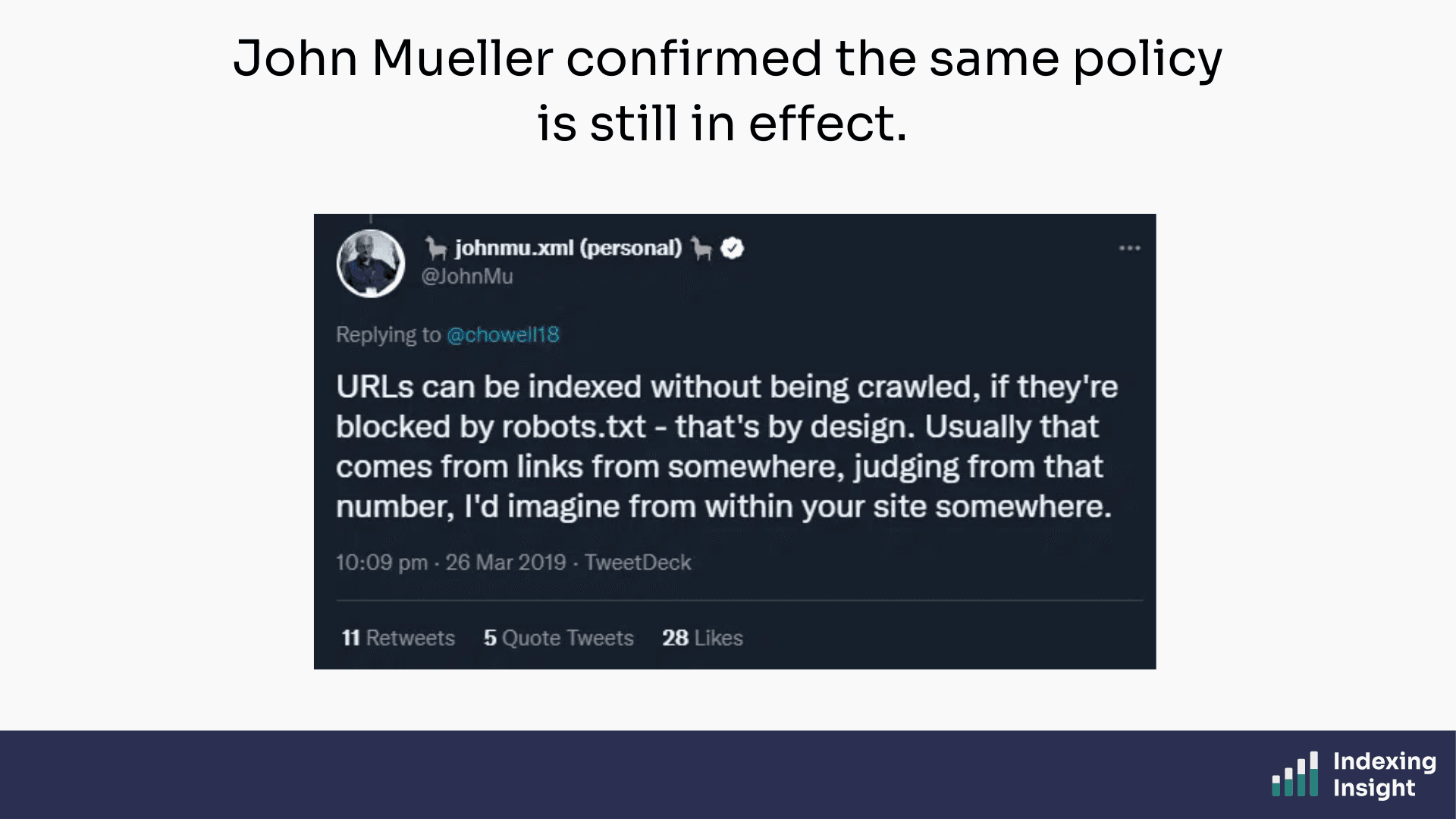
The key takeaway: links are what cause blocked URLs to appear in the "Indexed, though blocked by robots.txt" report.
If a page is blocked in robots.txt but has crawlable links pointing to it, Google can still index it.
If links are the cause, removing the links is the fix.
There are three ways to do this in my experience:
In this case, the cleanest option was the nofollow tag.
I asked the development team to add a nofollow attribute to the sitewide /schedule-call?ref= links. Simple, low-risk, and reversible.
Then I waited.
Within 2 weeks, Google started dropping the parameter URLs from the "Indexed, though blocked by robots.txt" report.
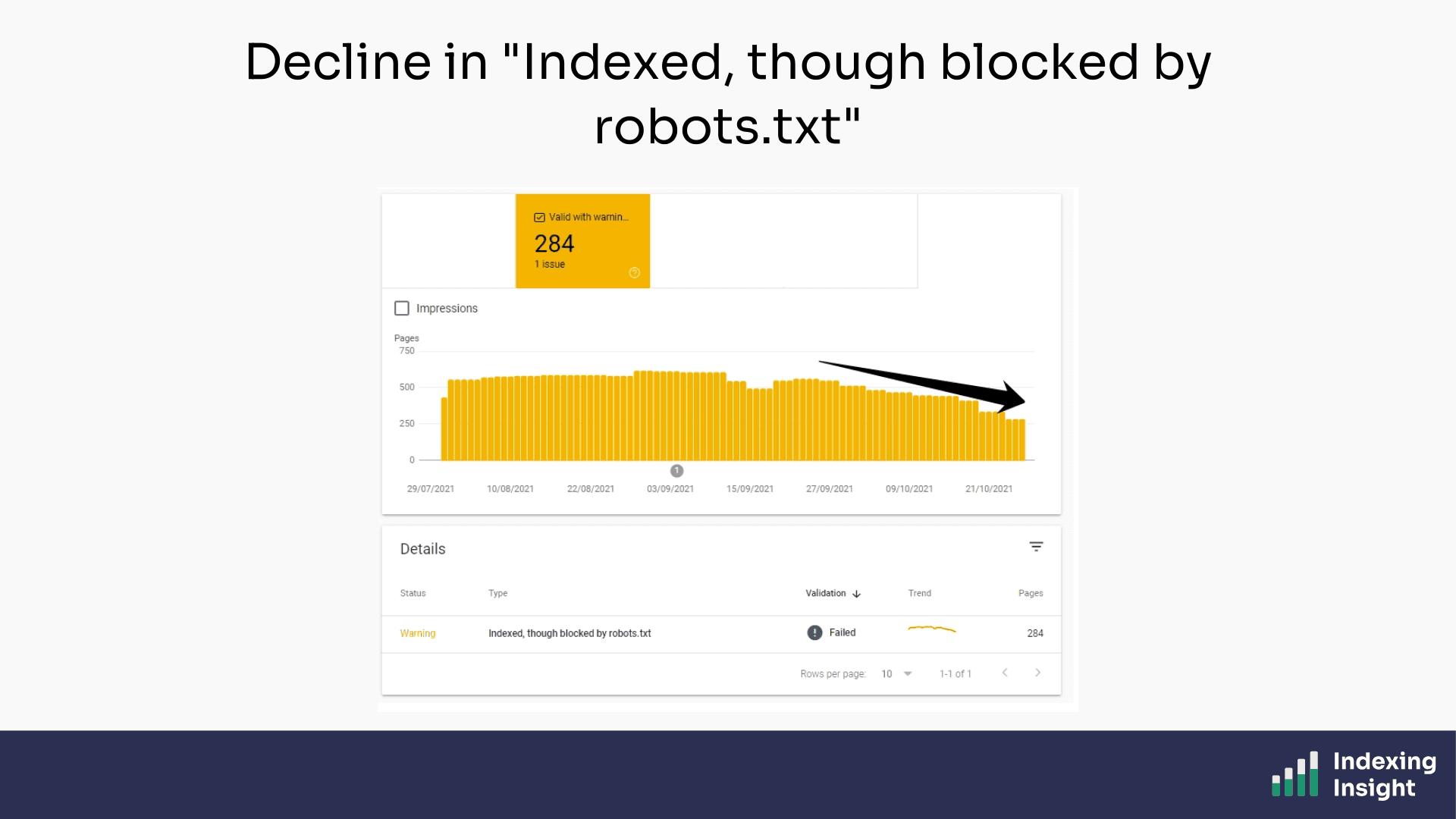
The fix was working.
But here's the part I didn't anticipate: it took 10 months for Google to fully resolve the issue.
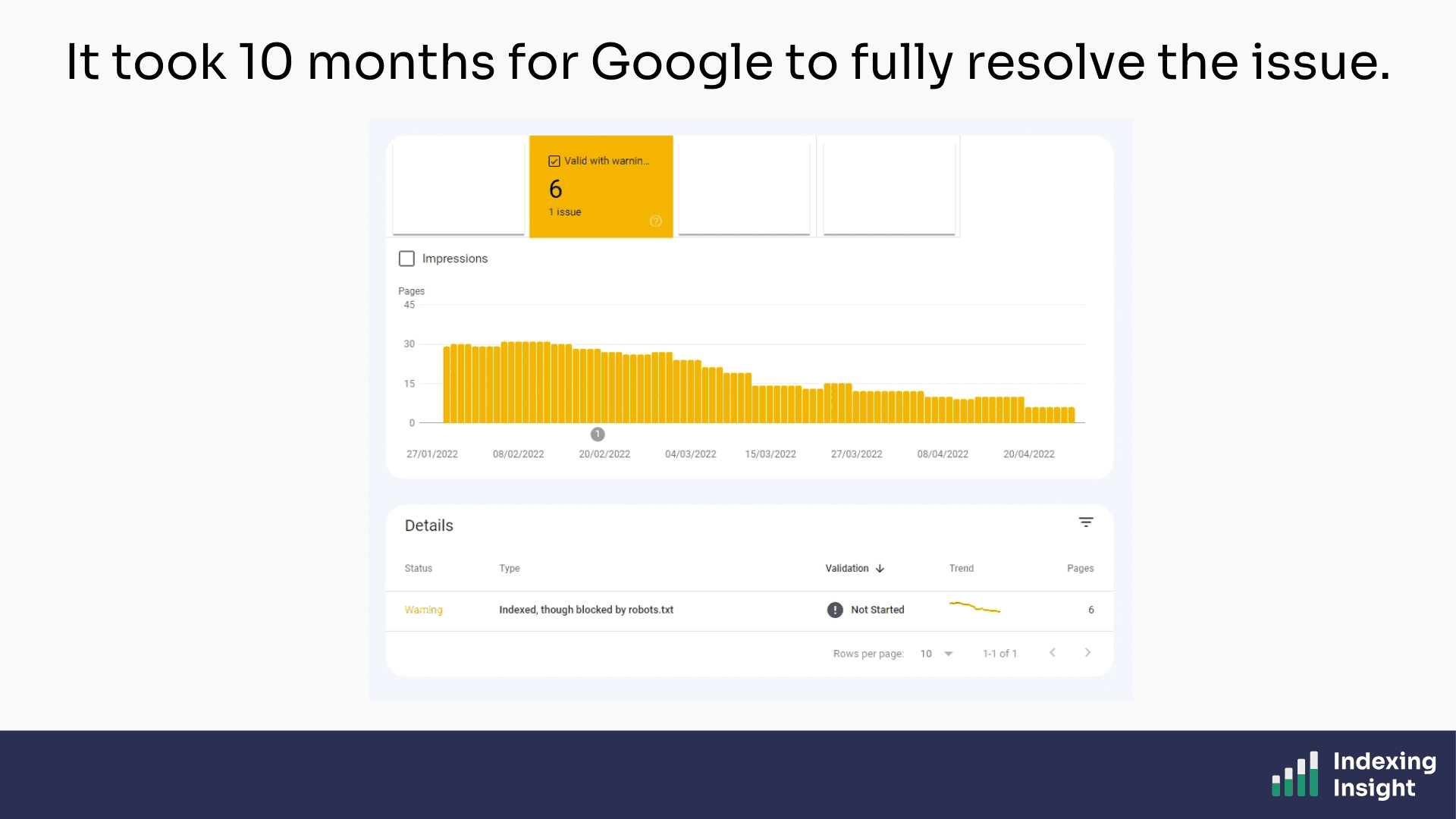
500 URLs dropped to 6. But the pace was glacial.
This makes some sense in hindsight.
The nofollow attribute on internal links which helped remove the warnings, is the very thing that helps Googlebot make these a priority to crawl.
The website migration is over, and the ramping up of crawl activity from Googlebot is now over. So it’s back to the usual schedule and signals to help it identify which pages to crawl.
It's not broken. It's just slow.
I learnt the following from this case study:
If you're seeing "Indexed, though blocked by robots.txt" in your GSC Page Indexing report, don't panic.
Check what's linking to the blocked pages and then remove the link equity pointing there.
Just don’t expect the fix to be quick.

Adam Gent
SEO Product Manager and Technical SEO. I’m currently an independent consultant who works with organisations to plan, scope and execute SEO projects that drive results.
