
We've introduced a new set of metrics to our URL report for all our customers: Historic indexing status.
At Indexing Insight we’ve updated our URL report to allow customers to track critical indexing events for every page URL they track.
What are the new URL report metrics?
We help track key indexing events for every monitored page URL.
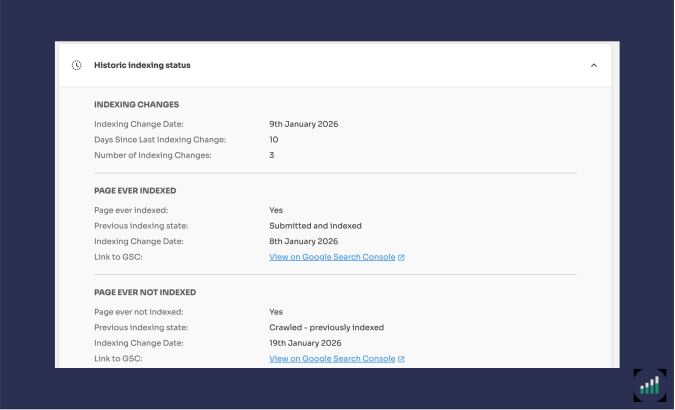
Our tool now tracks the following metrics in the URL report:
- Indexing changes - The last time the page's index coverage state changed.
- Page Ever Indexed - If the page was ever Indexed and the date of the previous indexing state.
- Page Ever Not Indexed - If the page was ever Not Indexed and the date of the previous indexing state.
- Canonical Link Changed - The last time the Google selected canonical tag was changed and the date it was changed.
- Blocked by Robots.tx - The last time the page URL was blocked by the robots.txt and the date it was blocked.
We even provide a link to Google Search Console that allows you to see the indexing data for that historic event in the URL Inspection tool
Find these new metrics in the URL Report in your projects.
How does the report work?
We record when an indexing event happens for a monitored URL.
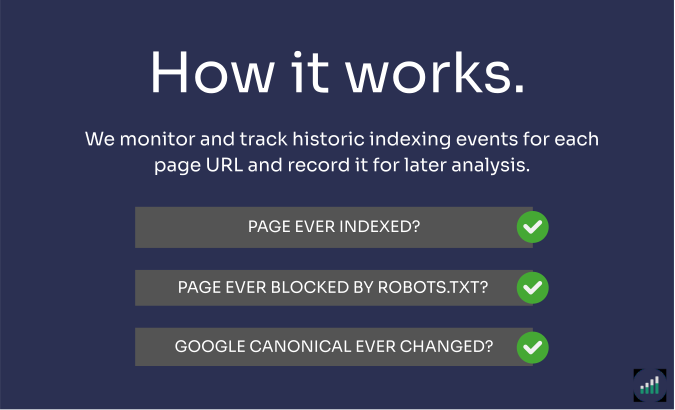
Google Search Console doesn't record this historic indexing state for your URLs.
At Indexing Insight we record historic key events when a specific indexing coverage state changes for each monitored page URL.
Learn more about the Historic Index Status metrics in our support documentation.
Join Indexing Insight to log in and start using this right away! Or book a demo for one of our team to take you through the tool.