
How it works
Indexing Insight monitors Google indexing for up to 1 million page URLs using Google's own URL Inspection API.
Here is how it works.





Our platform works by using
3 key settings in Google Search Console
Every project runs on a domain property, a list of important pages and a set of web properties.
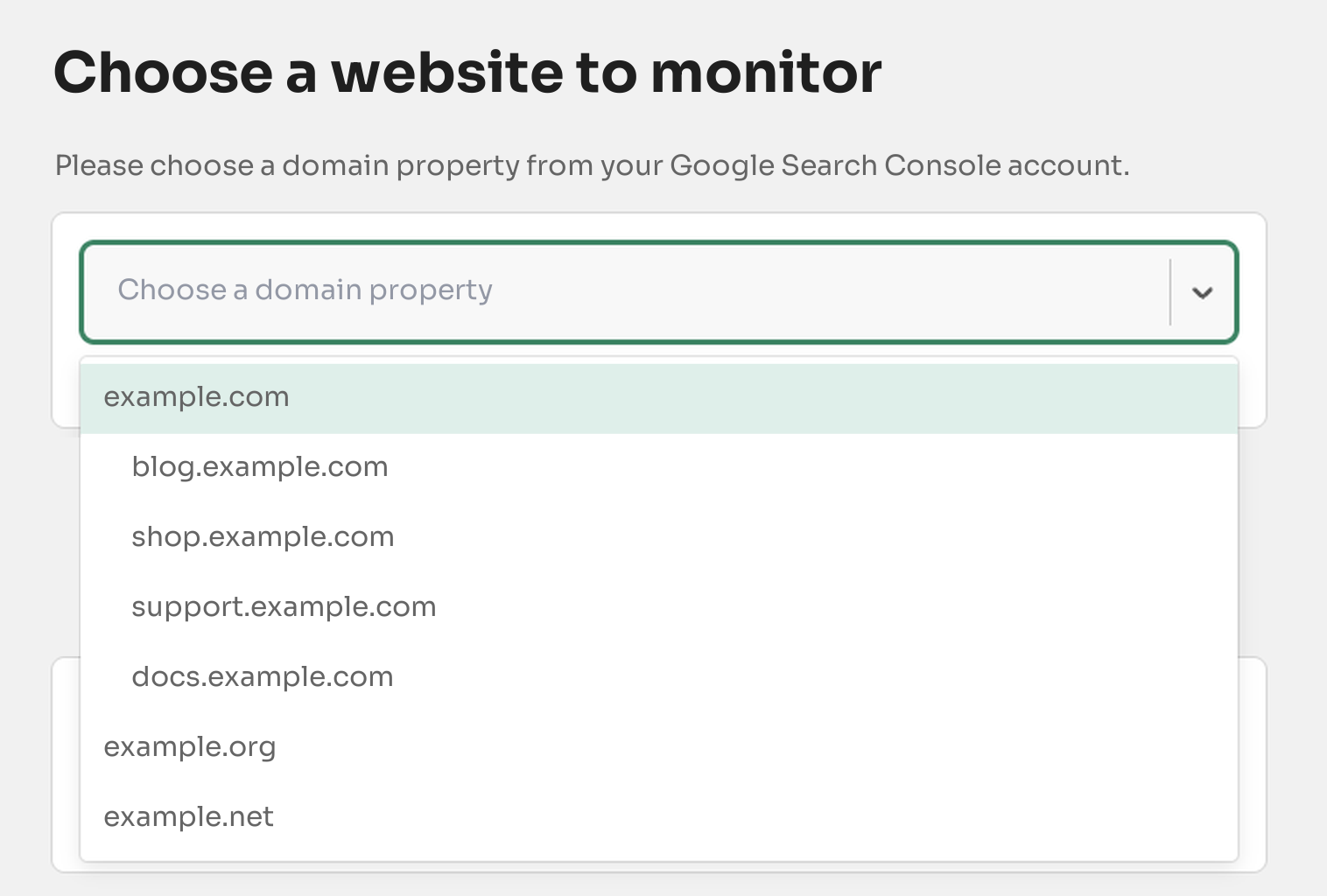
Domain property
Every project starts with a domain property in Google Search Console.
You need to be the owner or delegated owner of the domain property for every website you want to monitor.
Important pages
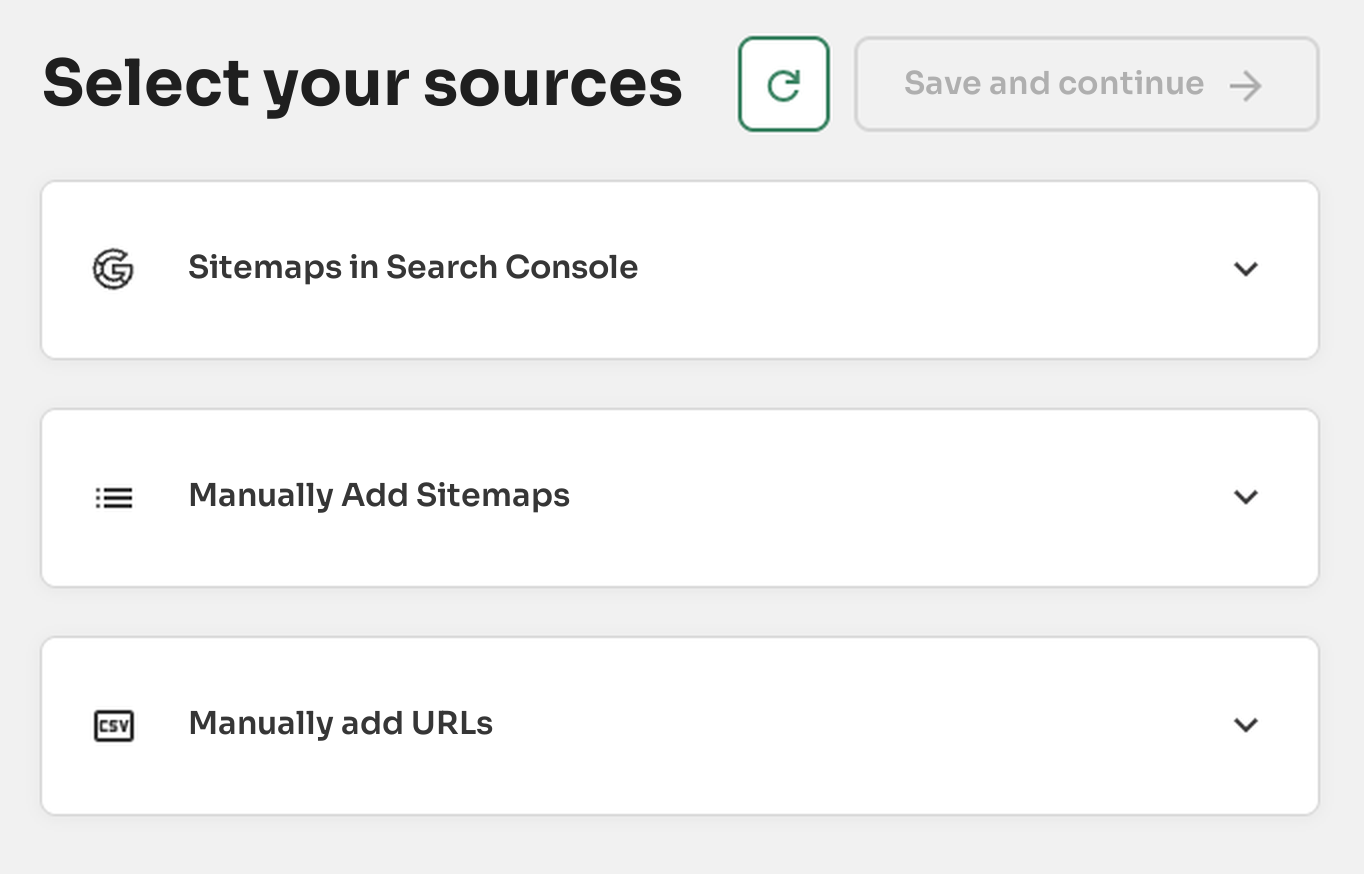
Tell us which pages matter, via XML sitemaps or CSV upload.
Most customers pick XML sitemaps. We download them every day, so new pages are picked up as soon as they’re published.
Web properties
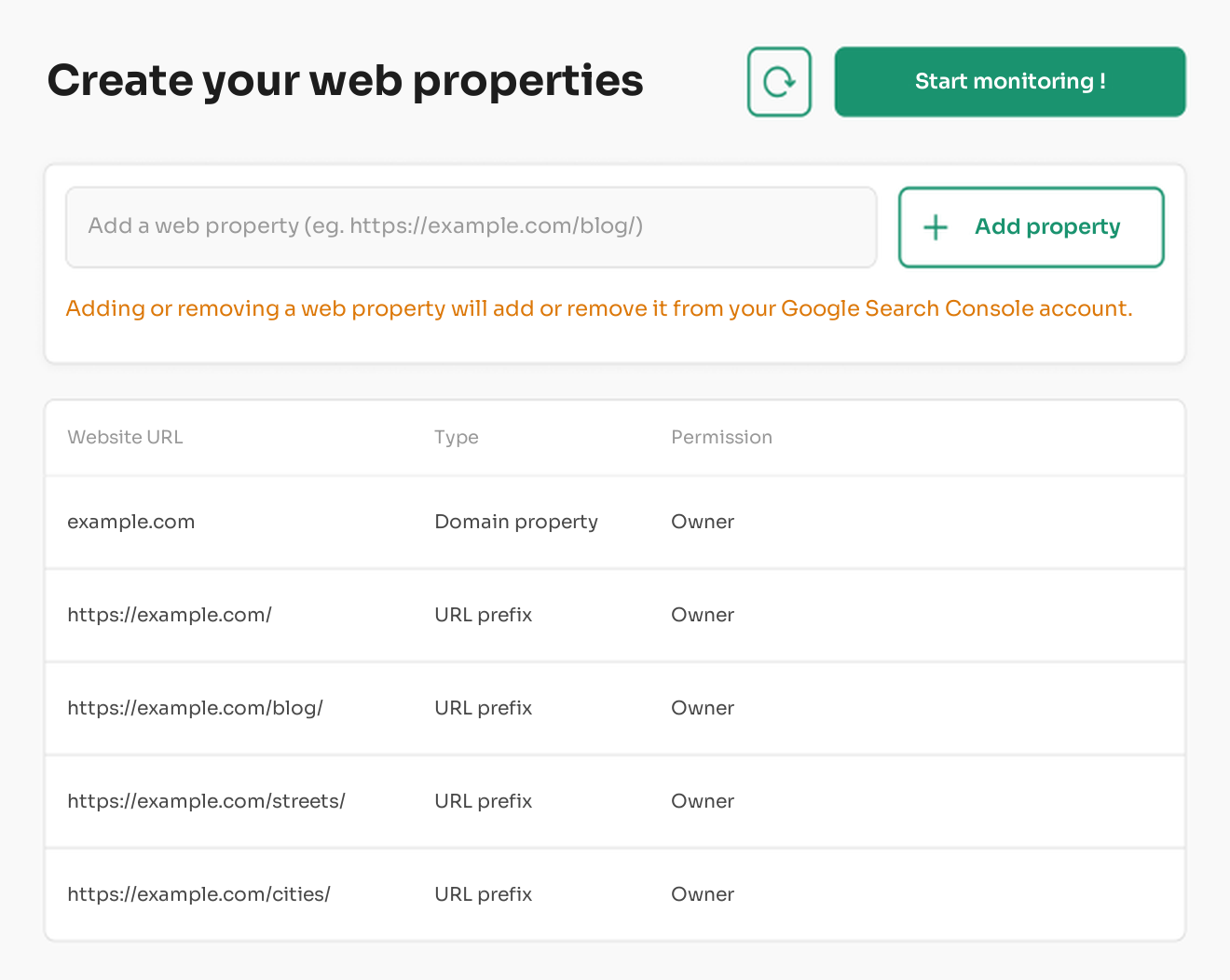
Each URL-prefix property in Search Console gets about 2,000 URL inspections per 24 hours. We split your site into folder-level properties to multiply that limit.
- Automatic. We analyse your folder structure and suggest exactly which properties to create — hundreds, for some customers.
- Manual. Paste a list of folder paths and we add them through the Search Console API. No need to open Search Console.
Why Indexing Insight?
We inspect your pages faster than any other tool, so you see indexing problems days earlier.
Get indexing data 3x faster than any other tool.
Indexing Insight can get your Google indexing data 3x faster than any other tool provider.
Time to inspect every page: current SEO tools 12 days, Indexing Insight 4 days.
You are in complete control of the settings
Once the settings are in, the platform runs itself.
Manage settings any time
Add or remove web properties, sitemaps and CSV uploads whenever you like.
You’re in complete control of what we monitor and which site sections we cover.
Inspection cycle
We turn your settings into an inspection cycle: how many days it takes to inspect every page.
It’s calculated per web property, so your cycle is set by your largest property.
Daily scheduler
Every day the scheduler checks your sitemaps for new pages, maps each URL to a web property and inspects pages within that property’s limits.
It runs without you touching it.
Reports
We store every page’s current status and its historic indexing states. That history gives you context when a page drops out of the index.
It powers reports like Crawled – previously indexed. The indexed pages Google has actively removed.
How T-Mobile grew SEO traffic by 1,165%.
Thousands of store pages on T-Mobile's Spanish subdomain had quietly dropped out of Google, and the usual SEO tools couldn't say why. Indexing Insight surfaced the cause: a 403 error blocking Googlebot from crawling them.
Lastmile Retail took the evidence to T-Mobile, the block was removed, and the recovery was immediate.
Read the T-Mobile case study →“Indexing Insight is a fantastic tool. It allows you to constantly see your website's trending index coverage rate in Google Search. The not indexed reports show you the reasons why money driving pages aren't indexed.”
Shawn HuberSEO Programme Director, Lastmile Retail

Frequently asked questions
How do I know if Indexing Insight is right for me?
Indexing Insight is built for companies and websites that group pages into clear URL directory structures. And have ownership access to a domain property.
Where does Indexing Insight get its data?
We get the Google indexing data from Google's official URL Inspection API.
How do you get indexing data faster than other tools?
Our tool helps you breakdown your website into folder-level web properties to multiply the API limits. And we've had years of experience of doing this at scale.
You can calculate how long our tool will take using our Inspection Calculator.
What do I need to get started?
All you need to start monitoring with our tool is:
- A domain property in Google Search Console for each website you want to monitor
- Ownership or delegated ownership access to that domain property
- XML sitemap(s) or CSV of the pages you want to monitor.
Should I use XML sitemaps or CSV uploads?
You can use both or choose a method that best suits you.
Most customers use XML sitemaps. We download them every day, so new pages are added to your monitoring automatically. CSV uploads work well for a fixed list of pages.
Do I need to create web properties in Search Console myself?
No.
Our tool is now designed so that we can automatically create the best web properties to maximise your inspection cycle.
Or we can suggest web properties based on your folder structure, or you can paste a list of folder paths. Either way, we add them through the Search Console API at scale.
The best bit is you can create web properties at scale with a click of a button.
Does this tool automatically get pages indexed?
No.
We have no plans to allow pages automatically indexed using Google’s Indexing API.